Product · Fintech · 2025
QuickTaxes
Making a tax-preparation service easier to understand, evaluate, and contact through a clear, readable web experience.
- Role
- Product design
- Timeline
- 2025
- Team
- Independent product/design contribution; exact team count unverified
- Tools
- Figma
- Responsibilities
- Product design, UX writing, Interaction design
- React
- TypeScript
01 / The situation
Before a consultation, people need a clear starting point.
The website introduces a tax-preparation service, not a self-service filing tool. Its job is to make the offer understandable and help a prospective client decide how to get in touch.
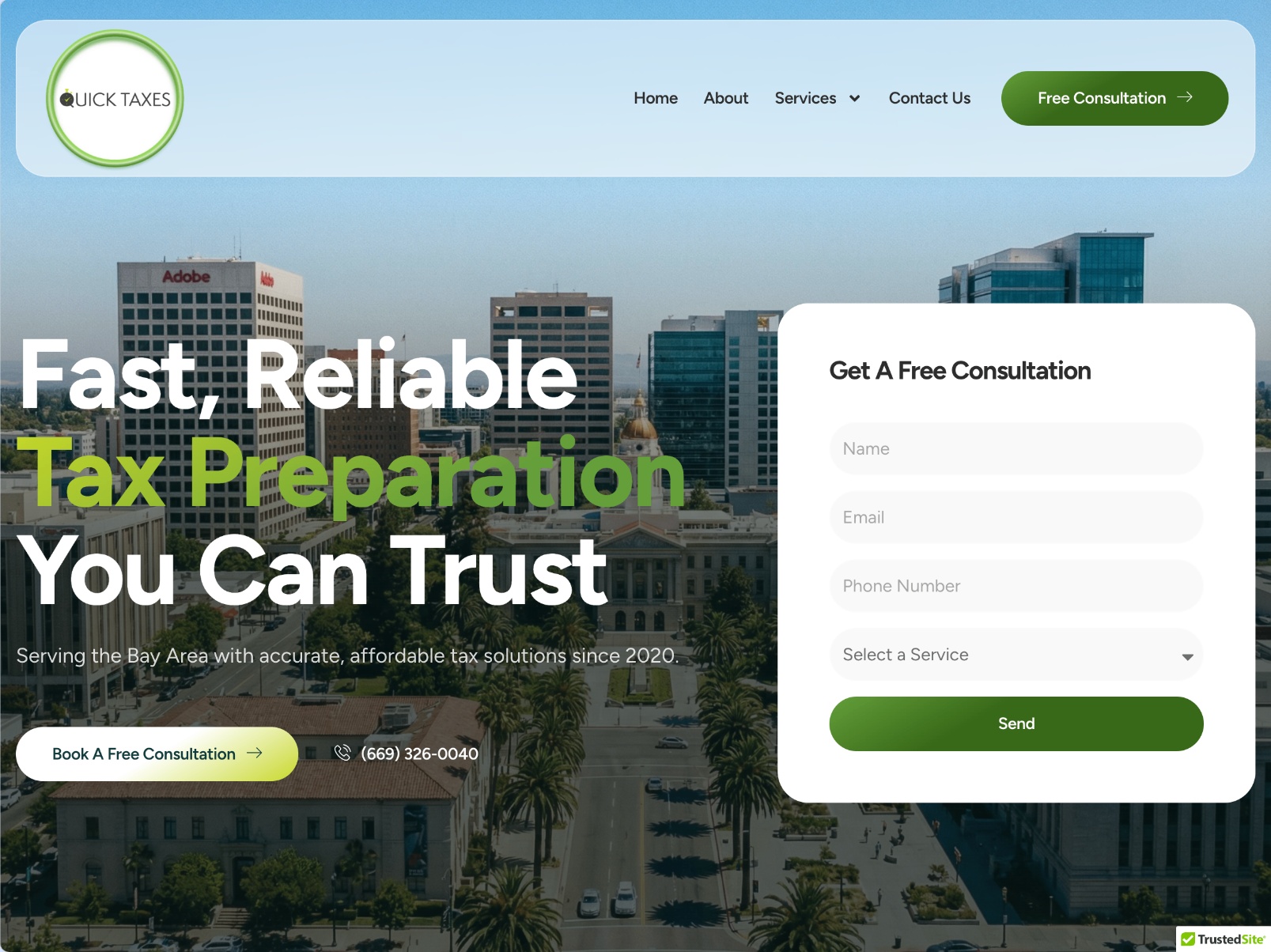
The real homepage brings the service headline, navigation, contact number and consultation form into one view. Those visible elements anchor this case study; no user-study or conversion results are claimed.
02 / Information hierarchy
One service promise. Two direct ways to act.
The large headline establishes what the business offers before the visitor reaches secondary details. The navigation keeps service information available, while the consultation button and adjacent form offer a clear next step.
The form asks for contact details and a service selection. Keeping the inquiry path close to the introductory content is a design response to the consultation goal—not evidence of a measured conversion increase.
03 / Trust & legibility
Make the business recognizable and the next action readable.
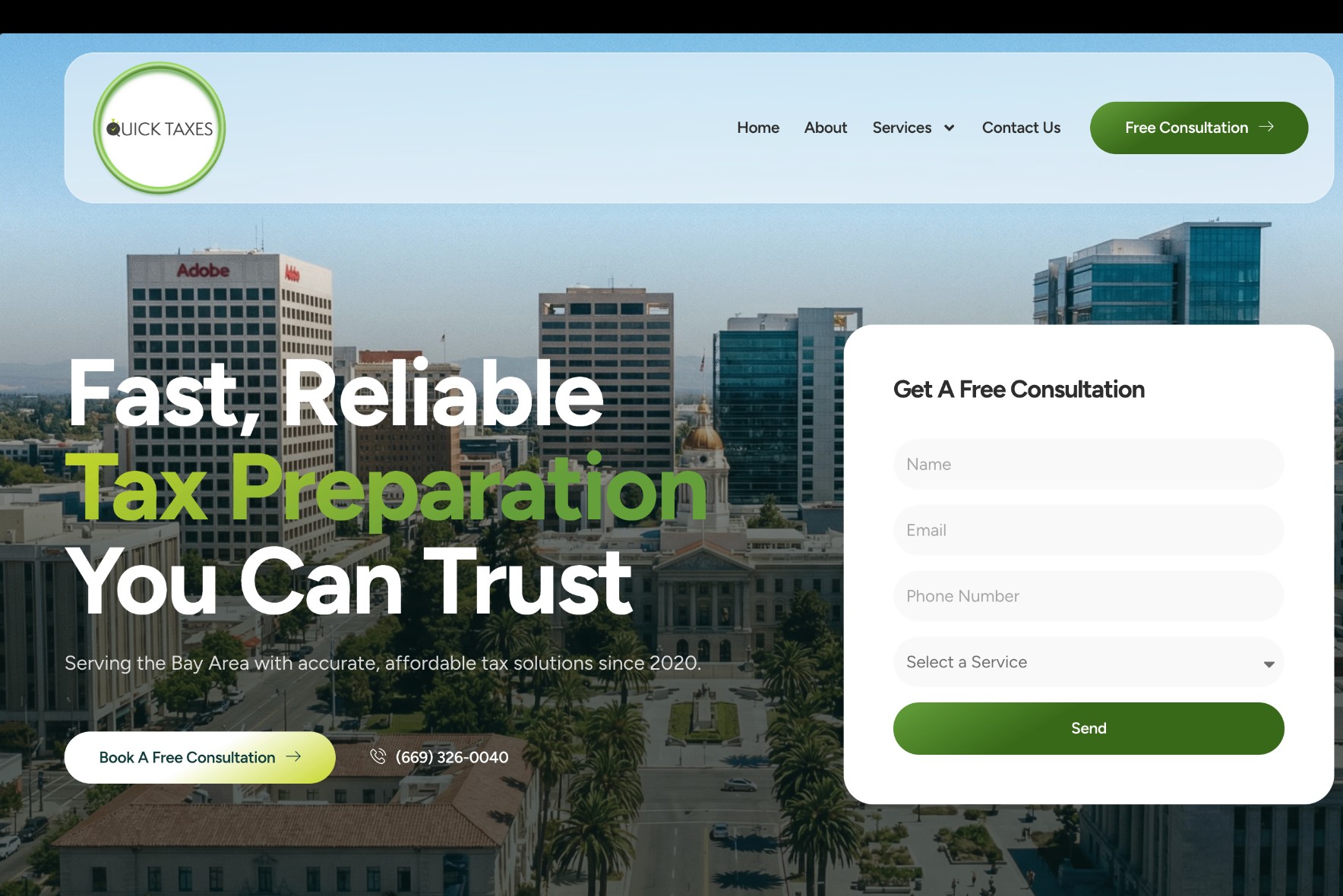
The business logo, Bay Area context and visible phone contact provide concrete orientation. The image is background context; the headline and form remain the primary reading targets.
Large type, contrasting text and a light form surface separate service information from the cityscape. These are visible design choices, not a verified accessibility certification. The trust language is the site's own service positioning, not a client quote or an award.
04 / Build & delivery
Design decisions have to survive the browser.
The React and TypeScript implementation connects the visual hierarchy to a shipped web experience. Responsive implementation requires the headline, navigation and consultation controls to retain a useful order as the available space changes.
The portfolio screenshots document the delivered interface. They do not establish form-delivery reliability, mobile performance or traffic outcomes. Those would require separate operational checks and measurements.
05 / Reflection
Clarity is a design decision; conversion is a measurement.
This contribution connects hierarchy, service language and implementation around a consultation journey. The evidence supports describing the delivered experience, not attributing business growth to it.
A useful next evaluation would inspect narrow-screen form completion, keyboard navigation and successful inquiry delivery, then measure consultation completion with a defined baseline. Until then, the outcome remains a shipped website with a clear contact path.